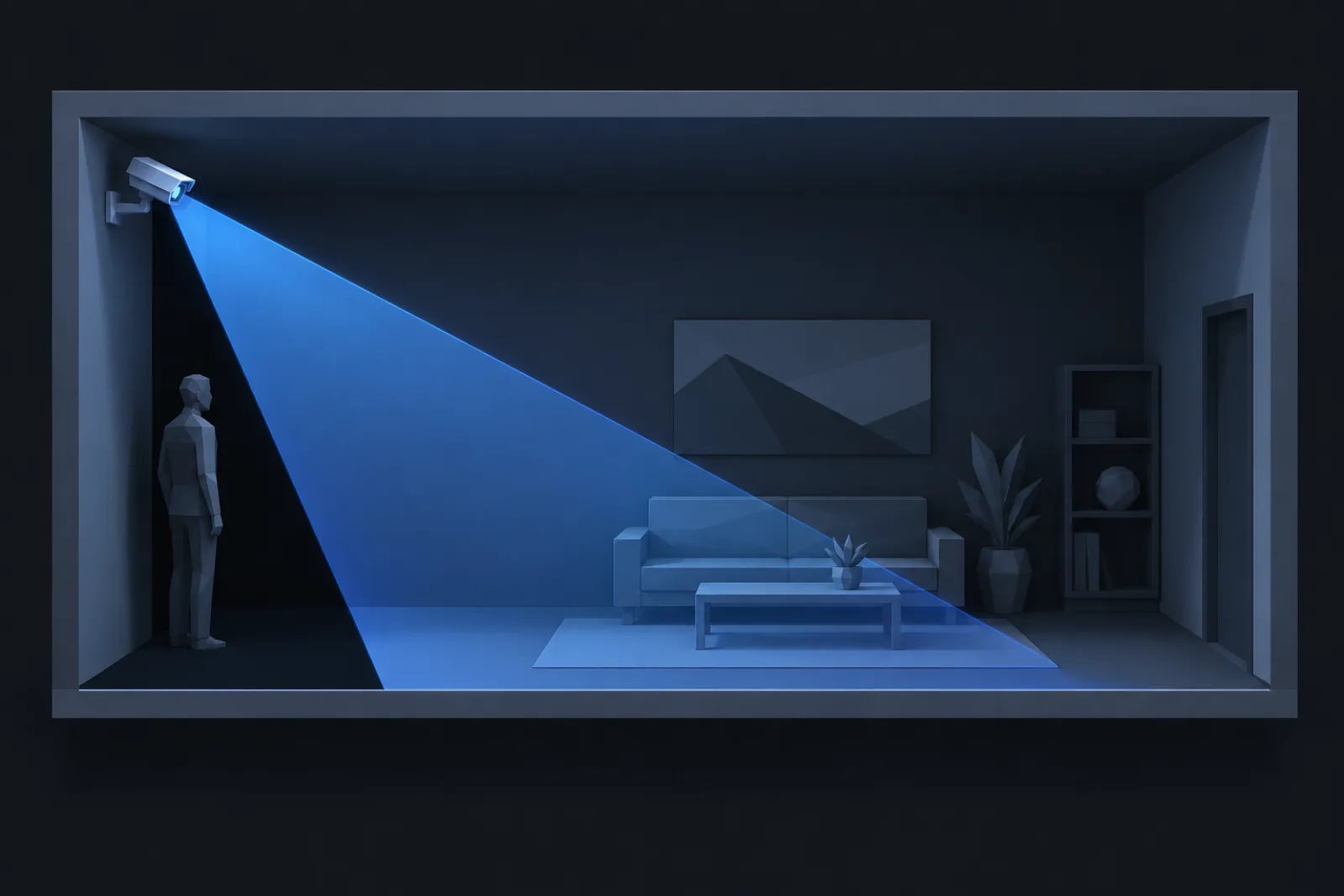
Every camera has a blind spot at its own feet. The lens looks forward and down, and the strip of floor between the wall and where the view meets the ground is uncovered. Installers know it; plans routinely ignore it, and it is where the cash drawer or the side door ends up.
The geometry
Mount a camera at height h, tilted down by θ from horizontal, with a vertical angle of view v. The lower edge of the view hits the floor at a distance
near = h / tan(θ + v / 2)and the upper edge, when the camera is tilted enough for it to reach the floor at all, at
far = h / tan(θ − v / 2)Everything closer than near is the dead zone. A typical dome at 3 m, tilted 30° down, with a 55° vertical view: the lower edge hits the floor at 3 / tan(57.5°) = 1.9 m out. The strip along the wall under the camera, almost 2 m deep, is unseen. Tilt it to 45° and the dead zone shrinks to 1.1 m, but the upper edge now meets the floor at 8.3 m, so the far end of the room drops out of view instead.
Height trades reach for dead zone
Raising the camera lengthens both distances in proportion. At 4 m with the same 30° tilt the dead zone is 2.5 m. It also flattens the angle at which the camera sees faces: past a certain height the lens looks at the tops of heads, and identify becomes recognise at best. Between 2.5 and 3.5 m is the range where a face is still a face and the camera is still out of easy reach.
Covering the dead zone
The clean solution is to let cameras cover each other's feet. Two cameras on opposite walls, each looking across the room, each see the strip the other misses. In a corridor, a camera at each end looking along it leaves the dead zones at the ends, where the doors are, so the fix is a third camera, or a wider lens at the ends and a tighter one in the middle.
The alternative is a fisheye or a downward-looking 360° dome for the room's centre, with fixed cameras at the edges for the identify shots. The fisheye covers the floor to its own feet and tops out at observe; the fixed cameras supply identify.
What to write on the drawing
A camera symbol on a plan is a guess until it carries a height and a tilt. Put both in the schedule, and draw the cone from the near edge rather than from the wall, so the gap is visible on the drawing rather than discovered on the monitor. CameraCAD draws the cone from the mounting height and tilt you set, and the 3D preview shows the same view from behind the lens, so the strip along the wall is on the sheet before the bracket goes up.