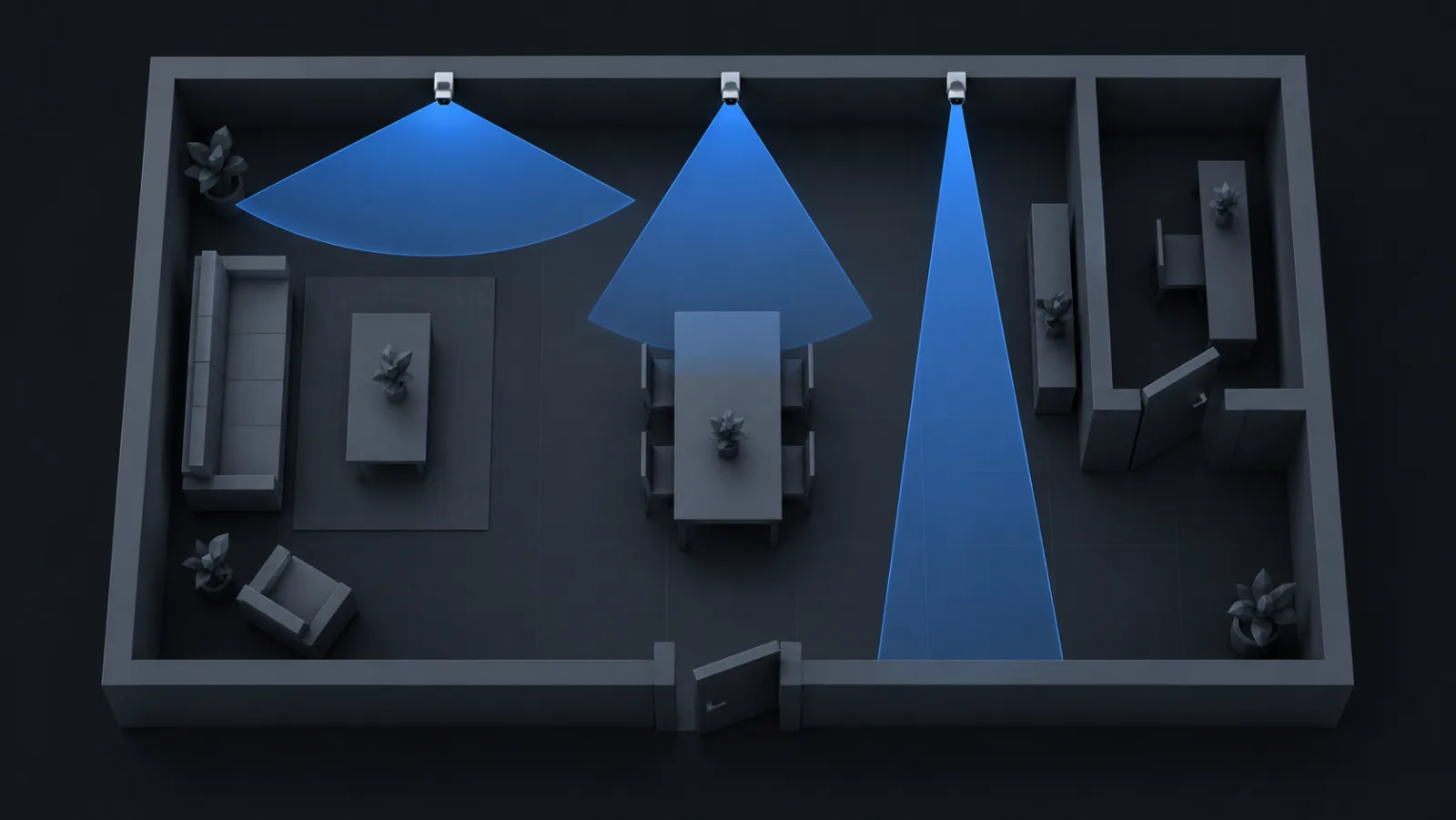
Camera lenses are sold by focal length: 2.8 mm, 4 mm, 6 mm, 12 mm. The number that matters on a plan is the angle of view, and the two are linked by the size of the sensor behind the lens. The same 2.8 mm lens on a small sensor is a narrower view than on a large one.
The formula
For a sensor of width w and a lens of focal length f, the horizontal angle of view is:
α = 2 · atan(w / (2 · f))Sensor widths are quoted in inch fractions that date from television tubes and bear a loose relation to the real dimensions. The practical widths are:
| Sensor | Width | 2.8 mm | 4 mm | 6 mm | 12 mm |
|---|---|---|---|---|---|
| 1/3" | 4.8 mm | 81° | 62° | 44° | 23° |
| 1/2.8" | 5.4 mm | 88° | 68° | 48° | 25° |
| 1/2.5" | 5.8 mm | 92° | 72° | 52° | 27° |
| 1/1.8" | 7.2 mm | 104° | 84° | 62° | 33° |
Vendors often quote a slightly wider angle than the formula gives, because the lens projects a little beyond the nominal sensor width and because a wide lens has barrel distortion that bends more scene into the corners. The datasheet figure is the one to use when you have it; the formula is for when you have only the lens and the sensor.
Wide, or far, but rarely both
Every degree of angle is paid for in pixels per metre. A 4 MP camera at 105° puts 98 px/m on a target 10 m away; the same camera at 45° puts about 310 px/m there. The wide lens sees the whole room and identifies nobody past 4 m. The narrow lens identifies a face at 12 m and sees a corridor's width.
That trade is the whole job of lens selection. The usual answers:
- Overview of a room or yard: 2.8 mm or wider. Accept detect and observe as the outcome.
- A doorway, a till, a gate: 4 to 6 mm, mounted so the person passes 3 to 6 m in front of the lens. Identify range covers the choke point.
- A corridor, a car park lane, a fence line: 8 to 12 mm, or a varifocal set long. Narrow and deep.
- Everything at once: two cameras, or a multi-sensor unit, which is two to four cameras in one housing.
Varifocal lenses
A 2.8 to 12 mm varifocal covers the whole table above in one unit. The catch is that it is set once, by hand or by motor, at install time. Plan it at the setting you intend to use, and write that setting on the drawing, because the installer will otherwise leave it at whichever end it shipped.
On the plan
Draw the cone at the real angle, from the real mounting point, and cut it with the walls. A 105° cone drawn as a decorative 60° wedge hides both the coverage you have and the density you lack. CameraCAD takes the angle from the catalog record for the model and lens setting you picked, so the wedge on the paper is the one the camera will produce.